GenAIRAG-Airflow
GenAI RAG Using Airflow and Gradio
This project is a RAG-based (Retrieval-Augmented Generation) chatbot that allows users to upload a URL, which is then parsed and stored in a vector database. The stored collection is used to query user questions, dynamically retrieving relevant answers from the vector database. The system utilizes Apache Airflow for workflow orchestration, Gradio for an interactive user interface, and the OpenAI API for embedding and chat functionalities. Docker containers efficiently orchestrate the entire process, providing a scalable and modular solution. The application is fully containerized, ensuring portability and ease of deployment across different environments.
Project Structure
-
dags/: Contains Airflow DAGs and related utilities for document splitting and embedding. -
include/: Contains the Gradio application and its dependencies, including the data chatbot. -
chromadb/: Directory for Chroma DB data. -
Dockerfile: Custom Dockerfile for building the Airflow image. -
docker-compose.yml: Docker Compose file for setting up the Airflow, PostgreSQL, and Gradio services.
Prerequisites
-
Docker
-
Docker Compose
Setup Instructions
1. Clone the Repository
git clone https://github.com/BShraman/GenAIRAG-Airflow.git

cd GenAIRAG-Airflow
2. Configure Environment Variables
Create a .env file in the root directory and add/update the required environment variables:
cp _env .env
POSTGRES_IMAGE=bitnami/postgresql:14

POSTGRES_USER=airflow

POSTGRES_PASSWORD=airflow

POSTGRES_DB=airflow

AIRFLOW_IMAGE=custom-airflow:latest
3. Build the Custom Docker Image
Build the custom Docker image for Airflow:
docker build -t custom-airflow:latest .
4. Start the Services
Use Docker Compose to start the Airflow, PostgreSQL, and Gradio services:
docker-compose up -d
5. Access the Airflow Web UI
Open your web browser and navigate to http://localhost:8080 to access the Airflow web UI.
6. Access the Gradio Web UI
Open your web browser and navigate to http://localhost:7860 to access the Gradio web UI.
Project Components
Airflow DAGs
The dags/ directory contains Airflow DAGs and related utilities for document splitting and embedding.
Gradio Application
The include/gradio directory contains the Gradio application.
UI Screenshots
Gradio Chatbot UI
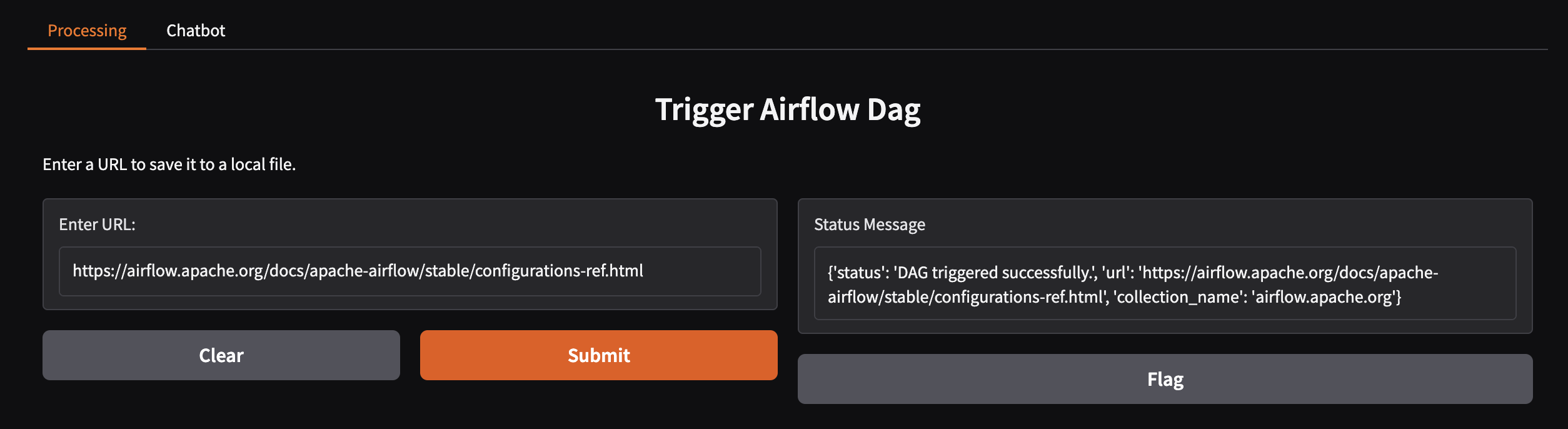
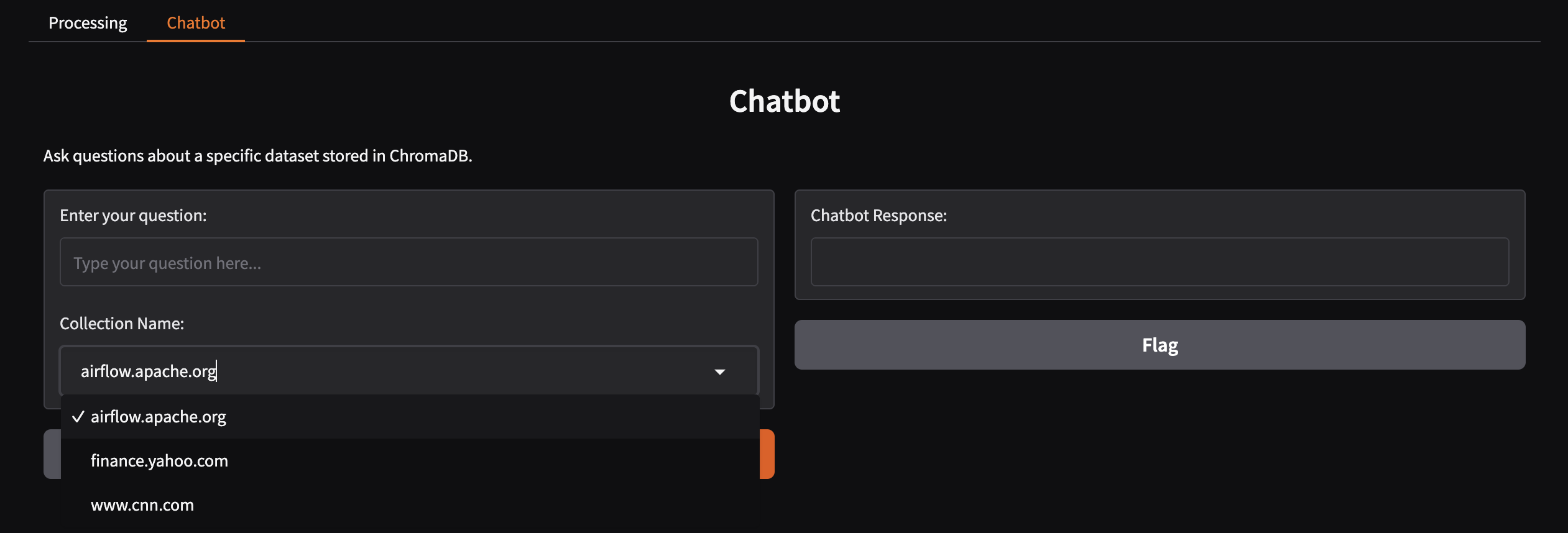
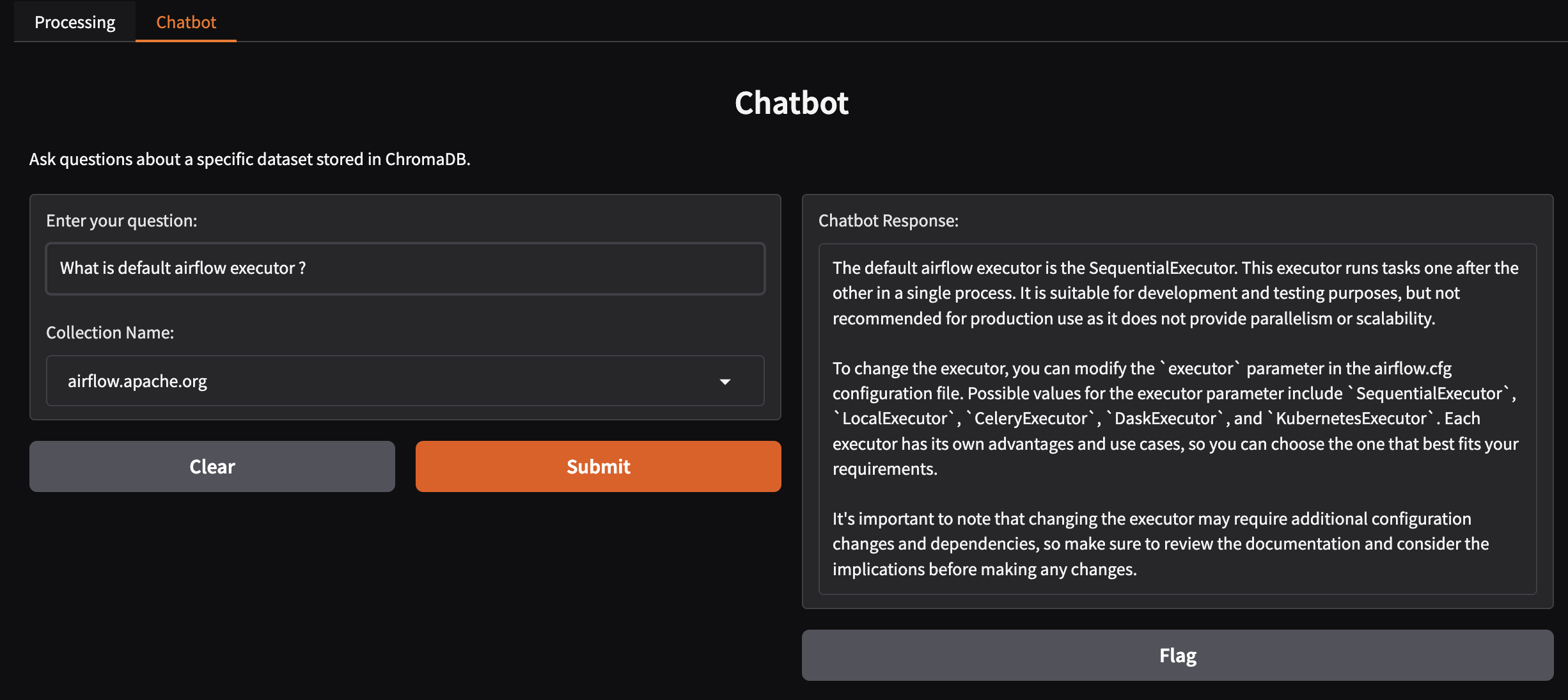
The Gradio interface is used for interacting with the RAG-based chatbot. Users can upload URLs, which will be embedded and store in vectordb. The chatbot will respond to queries based on the Collection store in the vector database. Below is a screenshot of the Gradio UI where users can input their questions.
Airflow Web UI
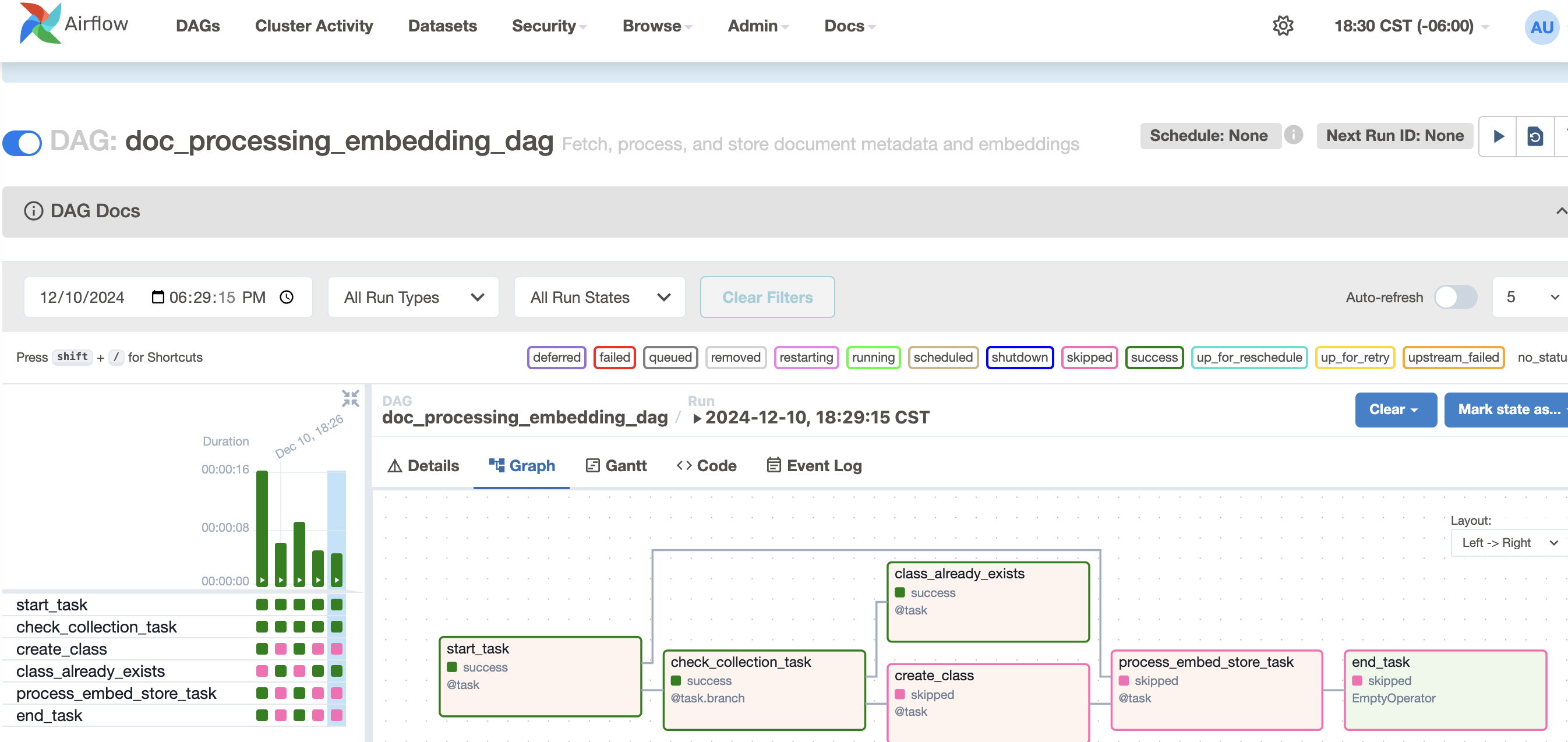
The Airflow Web UI enables efficient management and monitoring of workflows. Below is a screenshot of the Airflow dashboard where a DAG is triggered from the Gradio application and successfully completed..
Troubleshooting
If you encounter any issues, check the logs of the Docker containers:
docker logs airflow_webserver

docker logs postgres

docker logs gradio_app